Disable Power Management - Windows®
Here's how to turn power management for your Windows device on or off.
If your Windows operating system is unknown, refer to Determining Software Version - Windows.
If you want to disable power management for your Windows® 10 or Windows 11 device, view this info.
- Right-click theStart icon(lower-left) then clickDevice Manager.
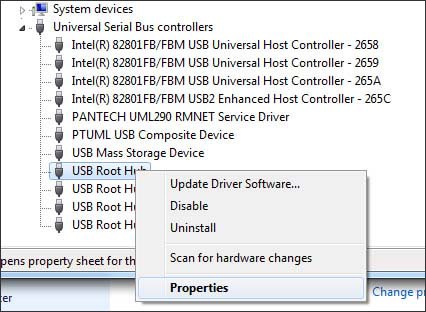
- Expand Universal Serial Bus controllers and right-click the USB Root Hub for the data card (e.g. Novatel, Pantech, etc.) then clickProperties.
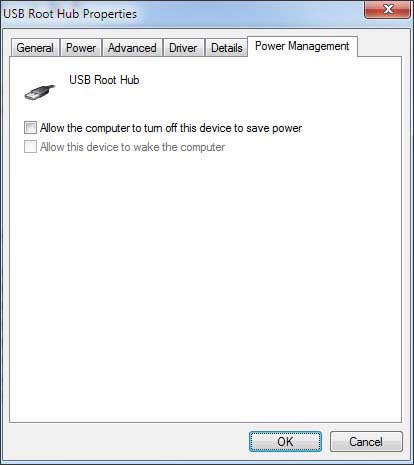
- From the 'Power Management' tab, ensure "Allow the computer to turn off this device to save power" is not checked then clickOK.