KYOCERA Cadence LTE - Add a Contact
Here's how to add a contact on your Cadence.
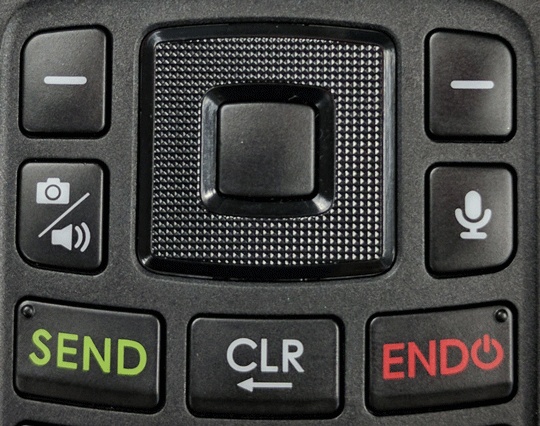
- From the main screen, press theleft soft key
to choose Contacts.
- Press theright soft keyto choose Options.
- SelectAdd new contact.Utilize the 5-way navigation pad to highlight and the center button to select.
- Enter info into any of the following fields then selectSave(located at the bottom to see more options press theleft soft keyand choose Set):
- Name
- Phone
- Mobile (e.g. Home, Work, Work fax, etc.)
- Email (e.g. Personal, Work, Other, etc.)
- Phone ringtone
- Message ringtone
- Default vibrate (e.g. Pattern 1, Pattern 2, Pattern 3, etc. )
- More Fields: e.g. Phonetic name, Nickname. Organization, etc.)