Samsung Galaxy Watch - Volume Controls
Here's how to control the volume of your Samsung Galaxy Watch.
- From your Android™ smartphone or Apple® iPhone® , ensure your Galaxy Watch software is up to date as the steps below apply to the most recent version.
- For additional info and a Galaxy Watch simulator, visit the Samsung support site.
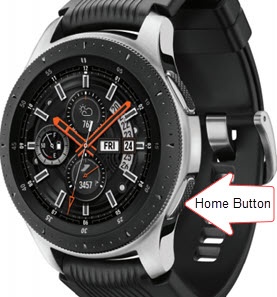
- From the watch screen, press theHome buttonto open the apps screen.
- TapSettings
.
- TapSound and vibration.
- TapVolume.
- Tap the desired option (e.g., Ringtone, Media, Notifications, etc.).
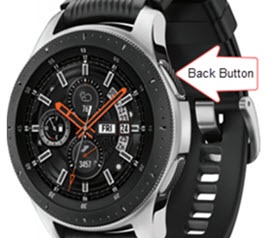
- Adjust the volume by turning the bezel to the desired level then press theBack button.