Samsung Chromebook Plus - Sign In / Out
Here's how to sign in or out of additional user accounts set up on your Chromebook Plus.
To sign in or out of additional user accounts set up on the device, view this info.
Sign In
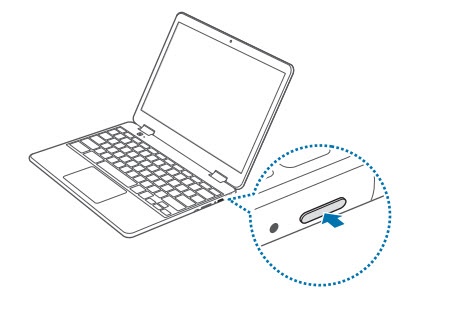
- With the device powered on, press thePower button(on the left edge).
- Tap the desired user.
- If prompted, enter the user account password or PIN then pressenter.
Sign Out
- Press and hold thePower buttonuntil the options window appears.
- Tap or clickSign Out.