GizmoHub App - Sign In / Out
Here's how to sign in or out of the GizmoHub app.
- Ensure the GizmoHub app is updated (Google Play™ Store or Apple® App Store® ).
- Check out the GizmoHub FAQ page for more info.
Sign into GizmoHub App
- Open theGizmoHub app
.
If prompted with a 'GizmoHub Would like to Send You Notifications' popup, tapAllow. - Tap one of the following:
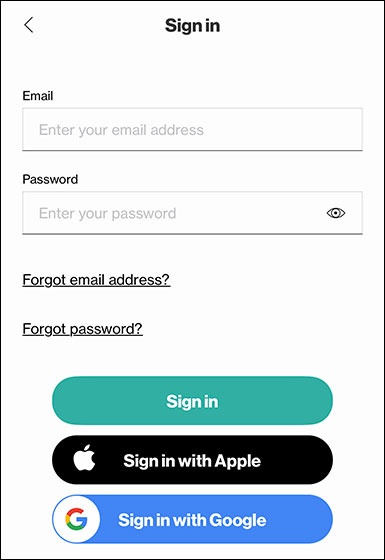
- Sign In
- Enter your email address and password, then tapSign In.To sign in using an Apple account, tapSign in with Apple.To sign in with a Google account, tapSign in with Google.
Sign out of GizmoHub App
- Open theGizmoHub appIf presented with the PIN screen, enter your PIN.
- TapMore(lower-right).
- TapSign Out(lower-left).