5G MiFi® M1000 - Network Mode Settings
Here's how to view network mode settings on your 5G MiFi M1000.
Changing advanced settings may be harmful to the stability, performance, and security of the MiFi. Contact your local IT admin before altering advanced settings.
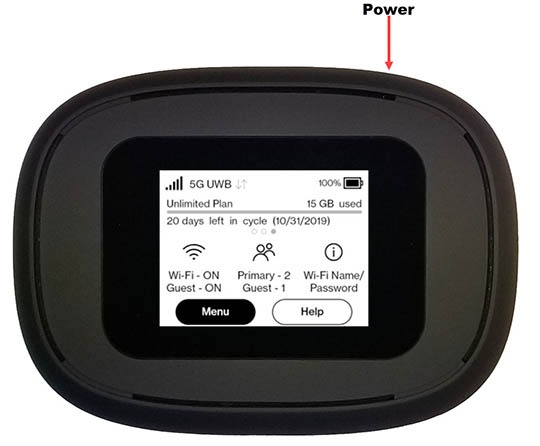
- From the Home screen, tapMenu(lower-left).If necessary, press thePower button(top-right edge) to turn on the display.
- TapSettings.
- TapNetwork Settings.
- View the setting (selected when a red dot is present).LTE/UMTS:This is the only setting available.
- You can manually select an alternate carrier but it may require as many as 6 registration attempts with that carrier prior to successful registration.
- The preferred international carrier is automatically selected.
You can also view network mode settings info via the Admin Web Interface by navigating:
Settings
> Advanced tab
> Continue
then editing the 'Preferred network technology' dropdown menu.