Alcatel GO FLIP™ V - Capture a Screenshot
Here's how to capture and view a screenshot with your GO FLIP V.
To capture a screenshot, simultaneously press and hold both the
PWR End key
and Volume Down button
until you hear or see a screenshot captured (approximately 2-3 seconds). To view the screenshot you've taken, from the main screen navigate: 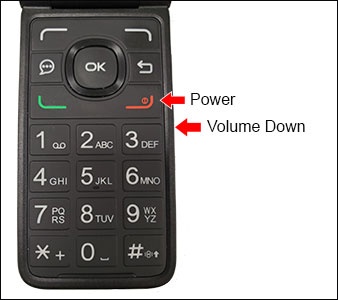
Menu
> Gallery
.