Install the Digital Secure App
Here's how to install the Digital Secure app to protect your device from viruses and malware.
The Digital Secure app is compatible with devices running:
- Apple® iOS 11 or higher
- Android™ 4.4 or higher
Apple iOS
- Open theApp Store
.
- TapSearch(lower-right).
- From the Search field, enterDigital Securethen tapSearch.
- Tap theDigital Secure appthen tapGet.If presented, enter your Apple ID and password.Allow several minutes for the download and install process to complete.
- Once installation is complete, tapOpen.
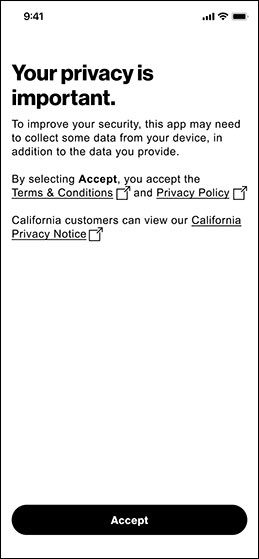
- From the “Your privacy is important’ screen, tapAccept.
- From the Upgrade screen, tap the desired plan option then tapActivate.
- Digital Secure account level
- Digital secure line level
- Digital Secure basic
Android
- Open thePlay Store
.
- In the search field, enterDigital Secure.
- TapDigital Securethen tapInstall.
- Once installed, tapOpen.
- From the 'Digital Secure' screen, tapAccept.
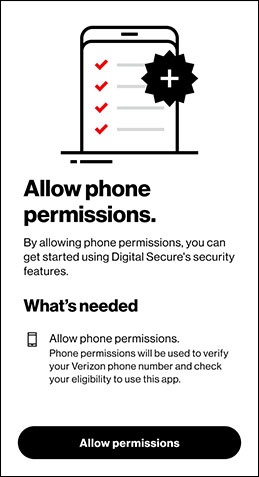
- From the ‘Allow Phone Permissions’ screen, tapAllow Permissions.
- From the Upgrade screen, tap the desired plan option then tapActivate.
- Digital Secure account level
- Digital secure line level
- Digital Secure basic