Samsung Galaxy Watch Active2 - Volume Controls
Here's how to control the volume of your Galaxy Watch Active2.
From your Android™ smartphone or Apple® iPhone® , ensure your Galaxy Watch Active2 software is up to date as the steps below apply to the most recent version.
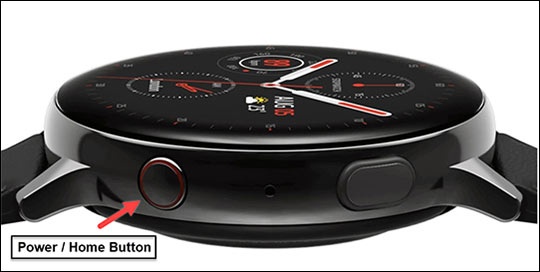
- From the watch screen, press theHome buttonto open the apps screen.
- Double-tap theSettings icon
.
- TapSound and vibration.
- TapVolume.
- Tap one of the following:
- Ringtone
- Media
- Notifications
- System
- Bixby Voice
- Drag theBlue Circleclockwise or counterclockwise to adjust the volume level.
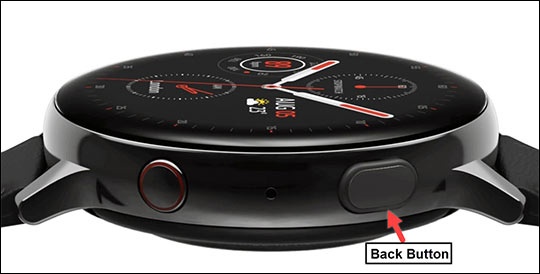
- Press theBack buttonto return to the previous screen.