Samsung Galaxy Watch3 - View / Delete Call History
Here's how to view and delete call history from your Galaxy Watch3.
From your Android™ or Apple® iPhone®, ensure your Galaxy Watch3 software is up to date as the steps below apply to the most recent version.
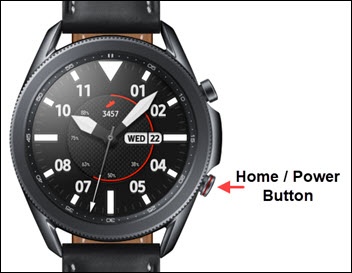
- From the watch screen, press theHome buttonto open the apps screen.
- Tap thePhone icon.
- Swipe up to view the call history.
- To clear calls from the history:
- Tap theMenu icon(to the right of a call record).
- TapDelete.
- Tap the call record(s) to select (check) the desired call to delete.TapAll(at the top) to select all call records).
- TapDelete(at the bottom).