LG G Pad 5 10.1 FHD - Volume Controls
Here's how to adjust the volume if your G Pad 5 10.1 FHD doesn't vibrate or play sounds when receiving messages or other notifications.
If you need to adjust the volume on your LG G Pad 5™ 10.1 FHD, follow these step-by-step instructions.
- From a Home screen, navigate:SettingsSounds
- TapVolume.
- Adjust any of the following:Drag the slider left or right to adjust the level.If unable to adjust volume, verify the Turn Off All Sounds setting is disabled.
- Notification sound
- Touch feedback & system
- Music, video, games & other media

The volume can also be adjusted by pressing the 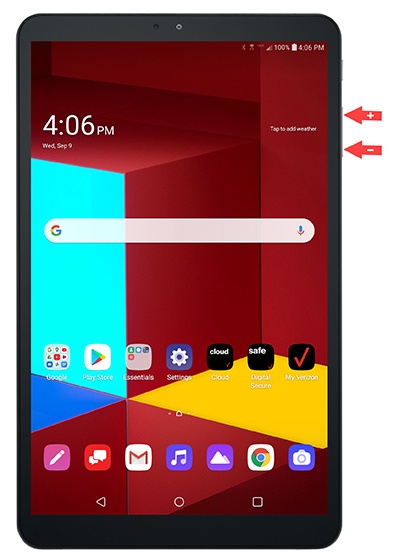
Volume buttons
(on the right edge) up (+) or down (-).