LTE Network Extender - Set Admin Password
Here's how to set a new admin password for your LTE Network Extender.
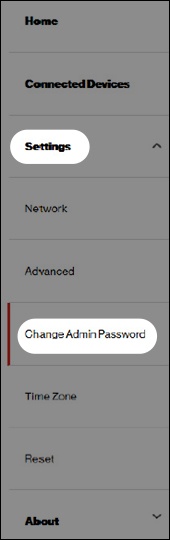
- Access the Network Extender Admin then navigate: .For help accessing the Admin, refer to Access Network Extender Admin.
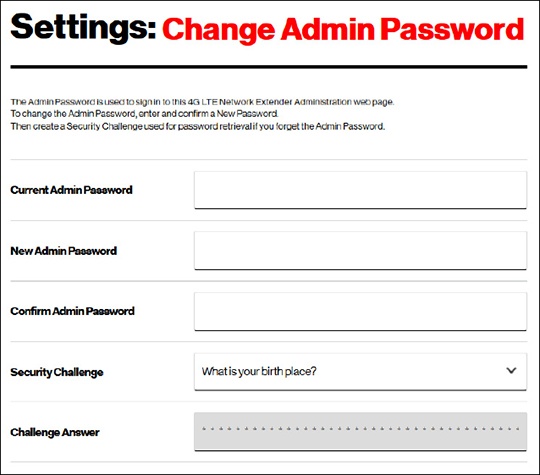
- Enter a password into the following fields:
- Current Admin PasswordThe case sensitive default password is: LTEFemto + the last 4 digits of the MAC ID (e.g., LTEFemto00A3).
- New Admin Password
- Confirm Admin Password
- From the 'Security Challenge' dropdown menu, select a security question.
- Enter the Challenge Answer then clickSave Changes.If prompted, verify the password conforms to the password guidelines displayed then clickOK.