LTE Network Extender - Restart Device
Here's how to restart your LTE Network Extender if it crashes and resets, freezes or runs slowly.
- A restart / soft reset (turning the device off then back on) is similar to restarting a desktop computer and is one of the first steps in troubleshooting a device.
- In most cases, a restart / soft reset won't affect data on the device, unless the battery is very low.
- If the LTE Network Extender has an active E911 call, the restart will be rejected.
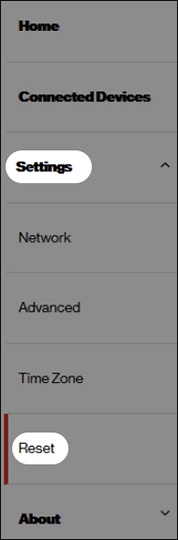
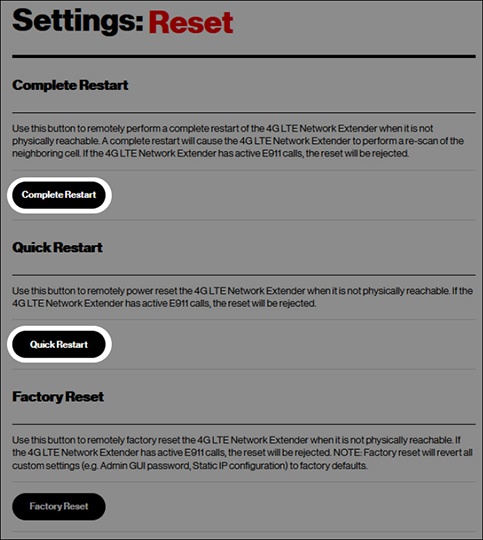
- From the 'Settings: Reset' section, click one of the following:
- Complete RestartPerform a complete restart of the device when it is not physically reachable.A re-scan of the neighboring cell is required.
- Quick RestartRemotely power reset the device.