Verizon 5G Internet Gateway (LVSKIHP) - Manually Connect to Wi-Fi
Here's how to set up your Wi-Fi (wireless client connection) on the 5G Internet Gateway (LVSKIHP).
This content is for the 5G Internet Gateway (LVSKIHP). Refer to How to Identify Verizon 5G Home Equipment if you're unsure of the device model.
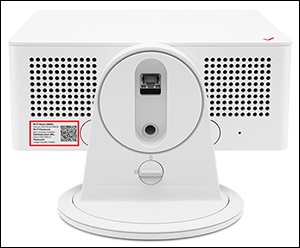
- Locate the default Network Name (SSID) and Wi-Fi / WebGUI password printed on the sticker on the bottom of the device.
- From the Wi-Fi settings menu of the device you want to connect (client device), select your router from the list of available networks then enter the router password.
- If needed, select the appropriate operating system (for the client device) then follow the instructions provided:The default encryption type is WPA2.