Fossil Gen 5 LTE Smartwatch - Check Device Storage
Here's how to check available space if your Fossil Gen 5 LTE Smartwatch runs slowly / crashes, apps freeze or you can't save media.
Ensure the software on your Fossil Gen 5 LTE Smartwatch is up to date as the steps below apply to the most recent version.
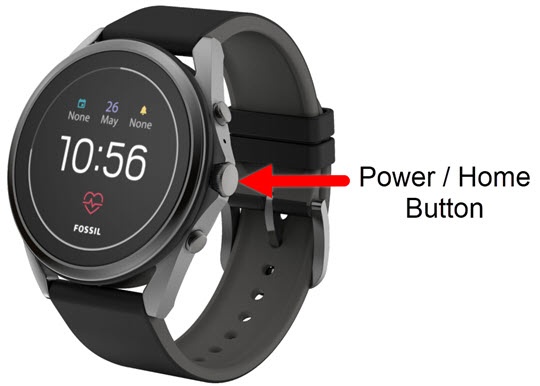
- From the watch screen, press thePower / Home buttonto open the apps screen.
- Tap theSettings icon
.
- TapStorage.
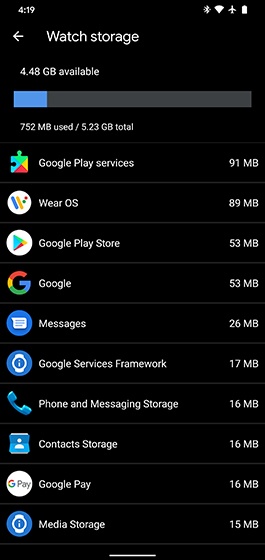
- View the Apps storage.Total watch storage used can be view through the Wear OS app:
- Open the Wear OS app on the smartphone.
- TapAdvanced settings.
- TapWatch storage.
- View total watch storage available.If the device memory is full, unused Apps may be removed from the watch to free up storage.