Fossil Gen 5 LTE Smartwatch - Adjust Brightness / Display Settings
Here's how to adjust screen brightness and other display options (e.g., watch face, font size) on your Fossil Gen 5 LTE Smartwatch.
Ensure the software on your Fossil Gen 5 LTE Smartwatch is up to date as the steps below apply to the most recent version.
Brightness
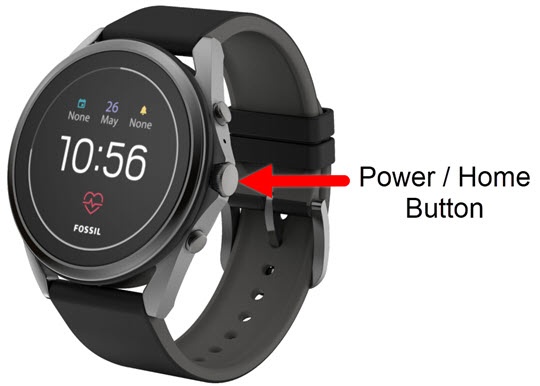
- From the watch screen, press theHome buttonto open the apps screen.
- Tap theSettings icon
.
- TapDisplay.
- TapAdjust Brightness.
- Tap the preferred screen brightness (e.g., Automatic, 1, 2, etc.).Selected when a red dot is present.
Change Watch Face
- From the watch screen, press theHome buttonto open the apps screen.
- Tap theSettings icon
- TapDisplay.
- TapChange watch face.
- Swipe the screen left or right to scroll, then tap the desired watch face.
- Select theSettings icon
Font
- From the watch screen, press theHome buttonto open the apps screen.
- Tap theSettings icon
- TapDisplay.
- TapFont size.
- Tap the preferred size (e.g., Small, Normal, Large).Selected when a red dot is present.