Fossil Gen 5 LTE Smartwatch - Enable / Disable App
Here's how to turn pre-installed apps on your Fossil Gen 5 LTE Smartwatch on or off.
Some apps that come pre-installed (e.g., calculator, Google Play™ Store, etc.) on your Android™ device can't be uninstalled; however, they can be disabled (turned off) so they don't appear in the list of apps on your device.
- Ensure the software on your Fossil Gen 5 LTE Smartwatch is up to date as the steps below apply to the most recent version.
- The option to enable or disable an app may only be available for apps that can't be uninstalled.
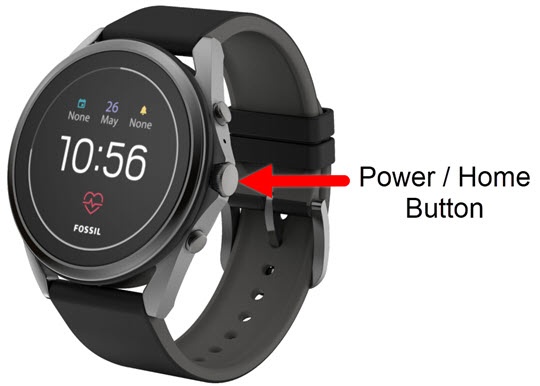
- From the watch screen, press thePower / Home buttonto open the apps screen.
- Navigate:Settings
>
Apps & notifications>App info. - Locate then select the appropriate app.If not listed, tapSystem Apps.
- Do one of the following:
- To enable an app:
- TapEnable.
- Tap theDone icon
to confirm.
- To disable an app:Disabling an app may cause related apps to function improperly.
- TapDisable.
- Tap theDone iconto confirm.