Fossil Gen 5 LTE Smartwatch - Enable / Disable / Modify SIM PIN
Here's how to change the SIM PIN for your Fossil Gen 5 LTE Smartwatch or turn it on or off.
- Ensure the software on your Fossil Gen 5 LTE Smartwatch is up to date as the steps below apply to the most recent version.
- Enabling the SIM PIN locks the eSIM so it can't be used until the correct code is entered.
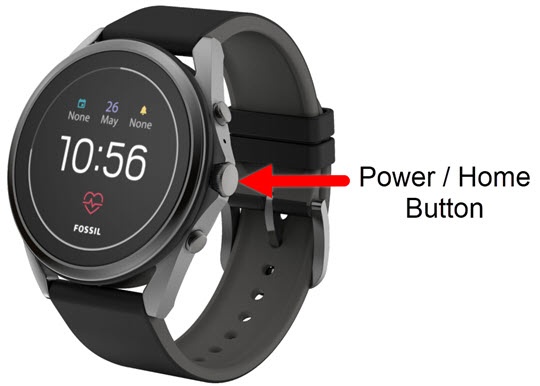
- From the watch screen, press thePower/Home buttonto open the apps screen.
- Tap theSettings icon.
- TapConnectivity.
- TapMobile.
- TapRequire SIM lockto enable
or disable
.
To change your SIM PIN, ensure the switch is turned on then do the following:- TapChange SIM PIN.
- Enter the current SIM PIN then tap theDone icon.The default SIM PIN is 1111.
- Enter a new SIM PIN then theDone icon.
- Re-enter the new SIM PIN then tap theDone icon.
- Enter the current SIM PIN then tap theDone icon.