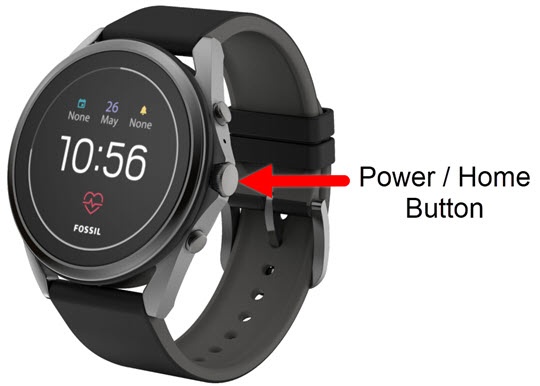
Fossil Gen 5 LTE Smartwatch - Volume Controls
Here's how to control the volume of your Fossil Gen 5 LTE Smartwatch.
Ensure the software on your Fossil Gen 5 LTE Smartwatch is up to date as the steps below apply to the most recent version.
- From the watch screen, press thePower /Home buttonto open the apps screen.
- Tap theSettings icon
.
- TapSound.
- Tap one of the following:
- Media volume
- Alarm volume
- Ring volume
- Drag thered dotright or left to adjust the volume level.
- Swipe the screen from left to right to return to the previous screen.