Verizon Internet Gateway - Configure Parental Controls
Here's how to configure parental controls for the Internet Gateway.
The Parental Control option allows you to restrict internet access to selected devices on your network at specified times.
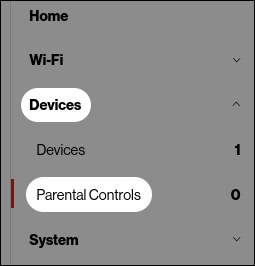
- Access the router admin page then click (on the left).Refer to Access Admin Page for assistance.
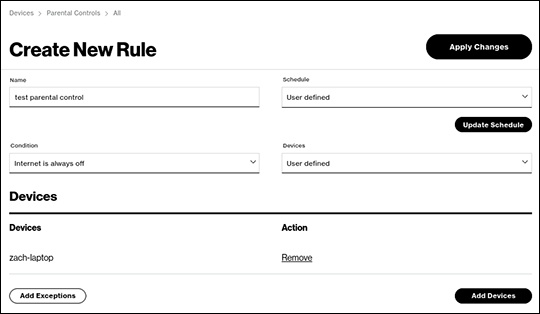
- From the Parental control section, configure as desired then clickApply Changes(upper right).