Session status messages
Session Status

Due to inactivity, your session will end in approximately 2 minutes. Extend your session by clicking OK below.

Due to inactivity, your session has expired. Please sign in again to continue.

Verizon Internet Gateway - Turn Data On / Off

2026-10-27 08:52:33.55

Verizon Internet Gateway - Turn Data On / Off

Here's how to enable / disable data for the Internet Gateway from the admin page.
  1. Access the router admin page then click
    Advanced
    (top).
    Refer to Access Admin Page for assistance.
    Advanced menu
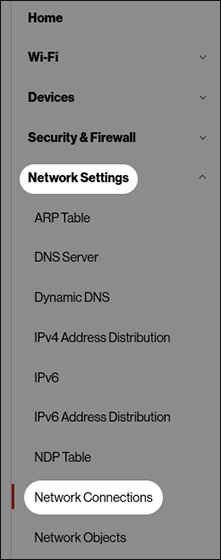
  2. From the left menu click
    Network Settings
    Network Connections
    .
    Network connections menu
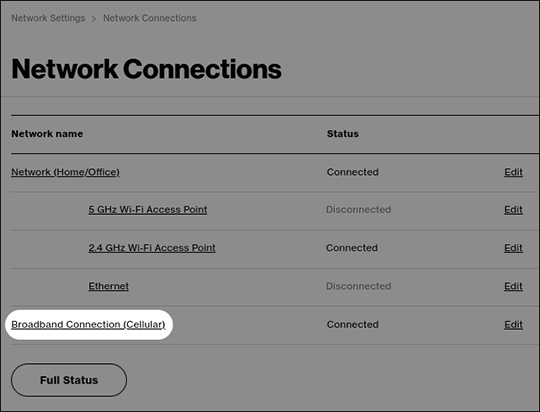
  3. From the 'Network Connections' section, click
    Broadband Connection (Cellular)
    .
    Cellular settings
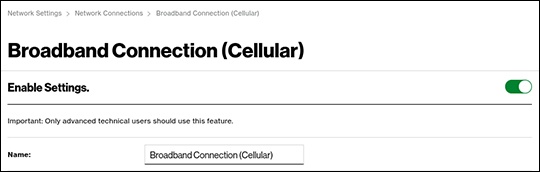
  4. From the 'Broadband Connection (Cellular)' section, enable On icon or disable Off icon Settings.
    Broadband Connection (Cellular)