One Talk W78HV IP DECT Cordless Handset - Insert / Remove Battery
Here's how to insert or remove the battery on your One Talk W78B IP DECT Cordless Phone.
The handset turns on automatically when the battery is inserted.
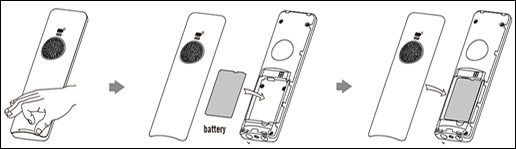
- From the back of the device, locate the notch on the bottom edge of the cover then gently pull the battery cover off.
- If necessary to force a reboot, remove the battery using the diagram below.
- To reinsert the battery, ensure the contacts on the battery and device are aligned then press the battery into position.
- Align the cover and gently press it into place.