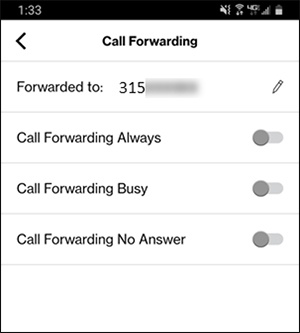
One Talk Mobile App - View / Manage Call Forward Settings
Here's how to manage call forward settings from the One Talk mobile app.
- Click here for a list of supported devices.
- Ring time can't be changed in the mobile app.
- Open the One Talk app.
- Navigate:.MenuSettingsCall Features
- TapCall Forwarding.
- Tap theEdit icon
to enter or edit the 10-digit phone number where you want calls to be forwarded.
- Tap theswitchesto turn Always, Busy, or No Answer forwarding on is or off
.