Session status messages
Session Status

Due to inactivity, your session will end in approximately 2 minutes. Extend your session by clicking OK below.

Due to inactivity, your session has expired. Please sign in again to continue.

One Talk Enhanced Dialer - View / Manage Call Forward Settings

2026-10-27 07:41:38.48

One Talk Enhanced Dialer - View / Manage Call Forward Settings

Here's how to manage call forward settings from the One Talk enhanced dialer.
Click here for a list of supported devices.
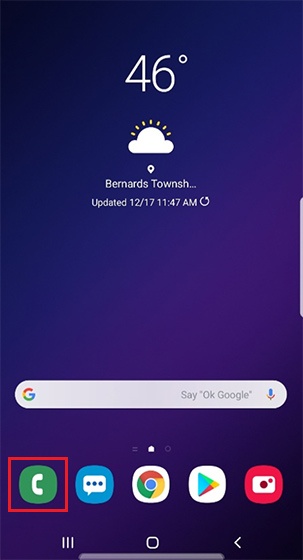
  1. Open the phone dialer.
    Open phone dialer
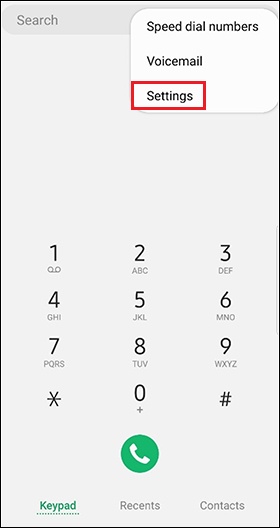
  2. Tap the
    Menu icon
    Menu icon (upper-right) then tap
    Settings
    .
    Dialer settings
    s
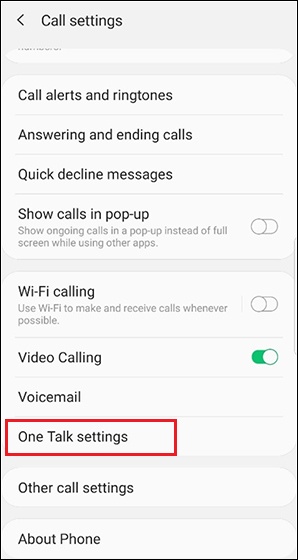
  3. Tap
    One Talk settings
    to display call forwarding options.
    Call settings menu
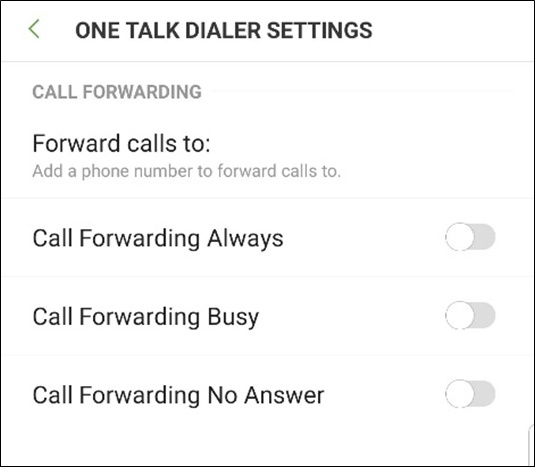
  4. Tap
    Forward calls to:
    then enter the 10-digit number where you want calls to be forwarded.
    Tap the switches to turn the preferred call forwarding option(s) on Switch on or off Switch off.
    One Talk dialer settings menu