One Talk VZP59 IP Desk Phone - Factory Reset
Here's how to reset your One Talk VZP59 IP Desk Phone to factory default settings if your system admin advises you to do so.
- From the desk phone display, swipe to the second idle screen.
- Navigate: .
- Enter the password.Default password: @N3ta!k2@2*If necessary, tap theEntry mode button(?123 / ABC) to switch between numbers and letters.
- TapReset Config.
- TapReset to Factory Settings.
- SelectOKto confirm.
- The desk phone begins the initialization process.The process may take up to 15 minutes.
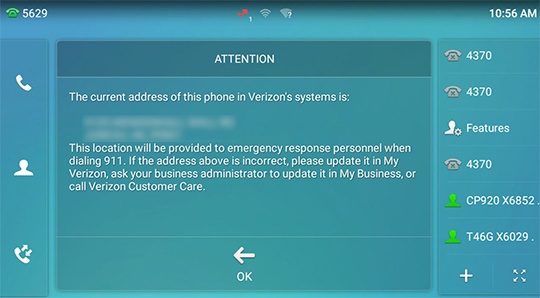
- From the 911 notification screen, tapOK.The 911 screen displays after successful activation.