Session status messages
Session Status

Due to inactivity, your session will end in approximately 2 minutes. Extend your session by clicking OK below.

Due to inactivity, your session has expired. Please sign in again to continue.

One Talk T46S/SW IP Desk Phones - Set Up Intercom Key

2026-10-27 09:31:27.427

One Talk T46S/SW IP Desk Phones - Set Up Intercom Key

Here's how to set up the intercom key on your One Talk T46S/SW IP Desk Phone.
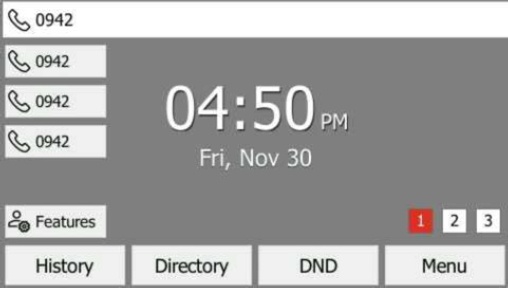
  1. From the Home screen, press and hold an empty soft key.
    Press and hold an empty soft key
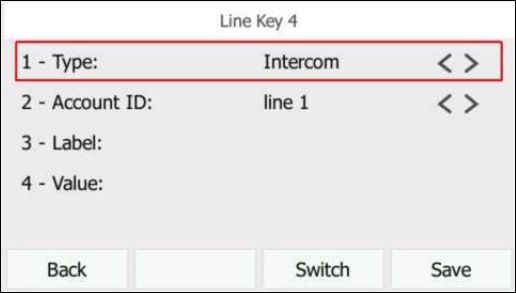
  2. From the Type field, press the
    Intercom soft key
    .
    Press Intercom key
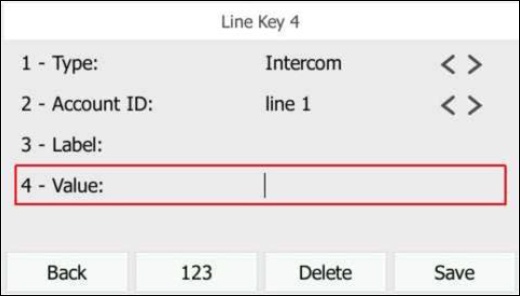
  3. Enter the appropriate information then press the
    Save soft key
    :
    The phone prompts for an extension number if left blank.
    • Label
    • Value (extension number)
    Enter label and extension number