One Talk T5xW Series IP Desk Phones & T67LTE 4G LTE Desk Phone - Restart Device
Here's how to restart your One Talk T5xW series or T67LTE desk phone.
To make a selection, press the appropriate corresponding soft key.
- From the Home screen, navigate: .
- Enter the password.The default password is " @N3ta!k2@2* ".
- SelectReboot.
- When prompted, selectOKto confirm.
- The Desk phone begins the initialization process.The process may take up to 15 minutes.The phone displays "Initializing, please wait during this process."
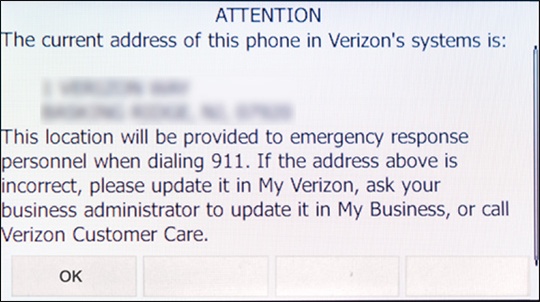
- After successful activation, the 911 notification screen displays. PressOK.To view your 911 address, press theAddress keyto the right of the LCD screen.