One Talk W60 IP DECT Cordless Phone - Restart Device
Here's how to restart your One Talk W60 IP DECT cordless phone.
To make a selection, press the appropriate corresponding soft key.
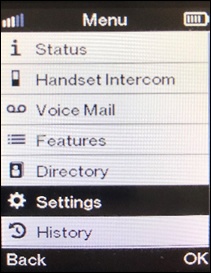
- From the main screen, press theNavigational button(located in the middle) on the W56HV Handset then selectSettings.Utilize the 5-way navigation pad to highlight and the center button to select.
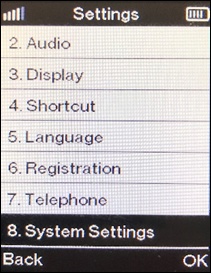
- SelectSystem Settings.
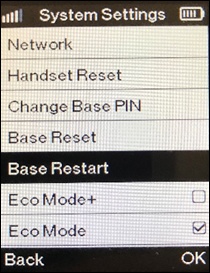
- SelectBase Restart.
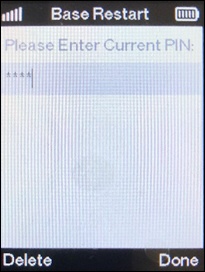
- Enter the 4 digit PIN using the device keypad (default is 0000) then selectDone(Right soft key).
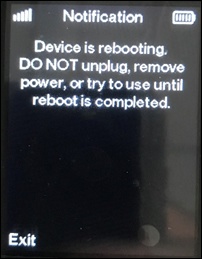
- From the Phone displays reboot screen selectExitand wait for the reboot to complete.