One Talk Portal - Turn Do Not Disturb (DND) On / Off
Here's how to enable / disable the Do Not Disturb (DND) setting on a desk phone via the One Talk admin portal.
- Sign in to My Business.
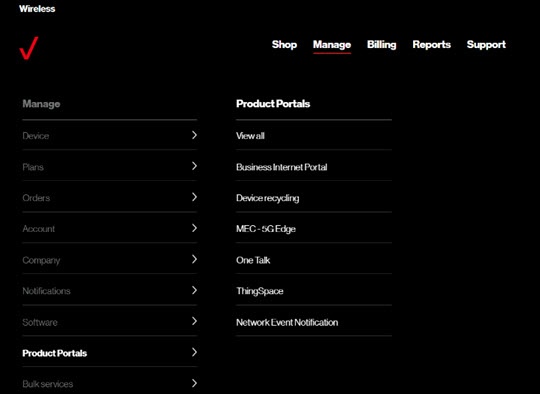
- ClickManage(top of screen).
- Mouse overProduct Portalsthen clickOne Talk.If necessary, clickView all.
- If necessary, select the desired group from the dropdown menu then click theDevices tab.
- Click the preferred desk phone in the list.Only desk phones can receive directory info; don't select smartphones or mobile clients.
- If necessary, clickAssociated devicesthen clickDesk phone.
- For each line, click theDisable Do Not Disturb switchto turn on
or off
.
When the switch is on, Do Not Disturb can't be used on the desk phone.