Network Mode Settings - Verizon 4G LTE Broadband Router
View this info on network mode settings if you're having issues with voice / data services on your Verizon 4G LTE Broadband Router.
- This device only works on 4G/LTE networks.
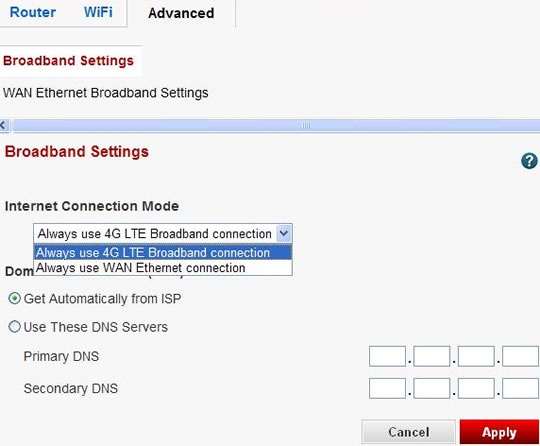
- It is recommended to have the Internet connection mode set to "4G LTE Broadband Connection".
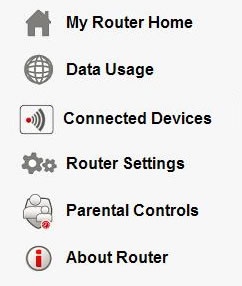
- Access the router configuration tool then clickRouter Settings(on the left).For assistance with accessing the router configuration page, refer to Accessing the Router Configuration.
- From the Advanced tab, selectBroadband Settingsthen selectAlways use 4G LTE Broadband connection(from the Internet Connection Mode dropdown under Broadband Settings) then clickApply.Ensure the Domain Name Server (DNS) Address is set toGet Automatically from ISP.
- ClickOK.