One Talk - Install Desktop App - Mac
Here's how to install the One Talk desktop app for Mac.
- Minimum system requirements for One Talk desktop app for Mac:®
- Mac OS X 10.11.x (El Capitan) (64-bit) and later
- 1.5 GHz or faster processor (dual-core processor required for video calling)
- 2 GB or more of memory (4 GB recommended for video calling)
- 500 MB free hard drive space
- Requirements for High Definition (HD) video calling:
- Quad-core x86 or equivalent processor
- 4 GB or more of memory
- HD camera and display
- For more details, refer to the user guide.
- Download the One Talk installer.
- Double-click theinstaller fileto open it.
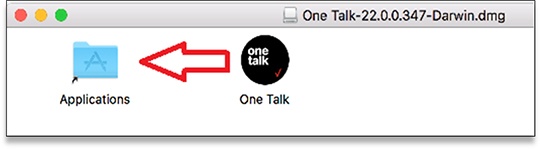
- Click and drag the One Talk icon to your Applications folder.
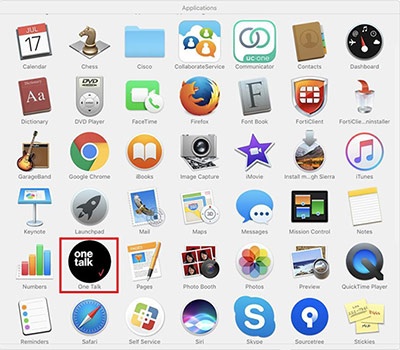
- Go to your Applications folder then selectOne Talk.
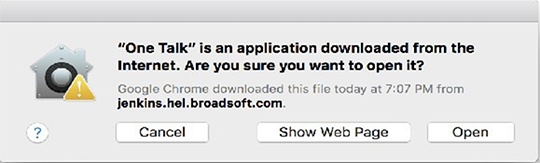
- ClickOpen.
- The One Talk application opens.