Samsung Galaxy Watch3 - Turn Data On / Off
Here's how to turn cellular data for your Galaxy Watch3 on or off.
If cellular data is turned off, your watch must be connected to a Wi-Fi network to continue to make or receive calls or use data services.
From your Android™ or Apple® iPhone®, ensure your Galaxy Watch3 software is up to date as the steps below apply to the most recent version.
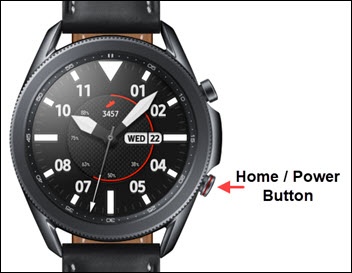
- From the watch screen, press theHome buttonto open the apps screen.
- TapSettings.
- TapConnections.
- TapMobile networks.
- TapMobile datato turn on
or off
.
Mobile network must be set to 'On' for this setting to be accessible.If prompted, review 'Mobile data' message then tap theAccept iconto continue.