LG G Pad 5 10.1 FHD - Set Up Fingerprint Recognition
Here's how to set up fingerprint recognition on your LG G Pad 10.1 FHD.
- From a Home screen, navigate:.SettingsLock screen & security
- From the 'BIOMETRICS' section, tapFingerprints.
- Review the message then tapNEXT.
- Enter the current PIN, password, or pattern.If necessary, refer to Enable / Disable / Modify Screen Lock for assistance.
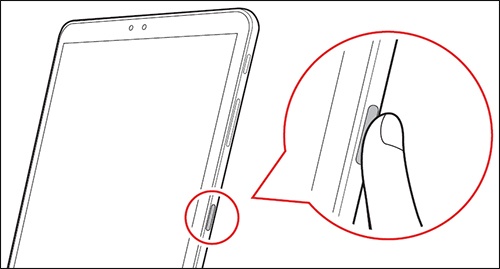
- Using on-screen prompts as a guide, tap thefingerprint sensormultiple times to scan your fingerprint.Repeat this step until the process is complete.For greater accuracy, finger placement should vary slightly each time.For the fingerprint scanner to operate, hands must be clean and moisture-free.
- When the fingerprint is added, tap OK if finished or ADD MORE to continue adding fingerprints.Up to 5 fingerprints can be registered on the device.