LTE Network Extender - Factory Reset
Here's how to restore your LTE Network Extender to default settings.
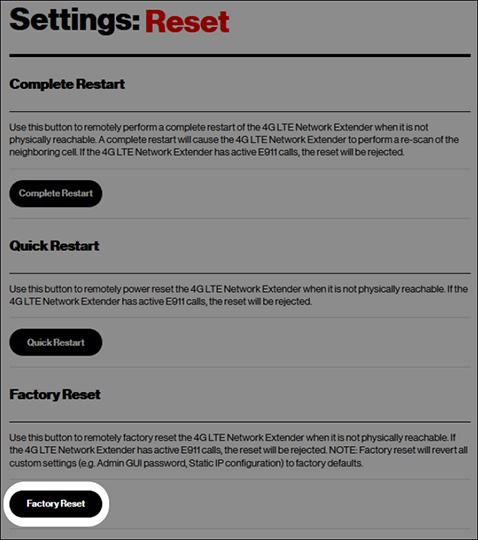
- A factory reset deletes all changes made to the configuration of the device settings.
- You are disconnected from your session when you reset the Network Extender.
- Factory Reset is rejected during active E911 calls on the Network Extender.
Via Device
Press and hold the reset button for at least 10 seconds, until the Power LED displays solid white, indicating a reset. Wait a few minutes for the device to restart. 
The factory reset button is located on the back of the Network Extender next to the AC adapter port.
The device must be connected to power for the reset to complete.
Via Admin Page
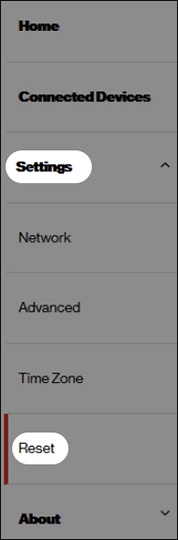
- Access the Network Extender Admin Page then navigate: using the left menu.
- From the 'Reset' section, clickFactory Resetthen follow the prompts.