Verizon 5G Internet Gateway (LVSKIHP) - Manage Parental Controls
Here's how to view or change parental controls or time blocks for the 5G Internet Gateway (LVSKIHP).
This content is for the 5G Internet Gateway (LVSKIHP). Refer to How to Identify Verizon 5G Home Equipment if you're unsure of the device model.
- Sign in to the Admin WebGUI.
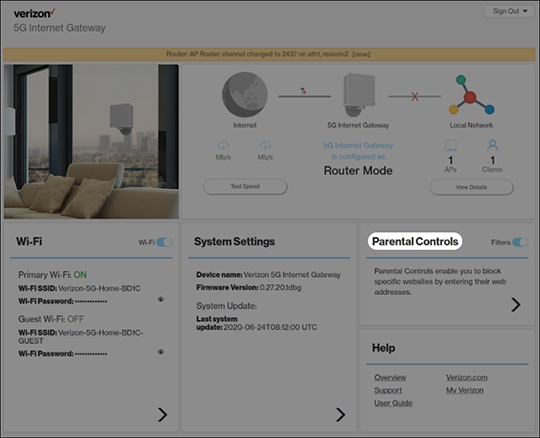
- From the Router Home screen, clickParental Controls.Click theFilters switchto turn on
or off
.
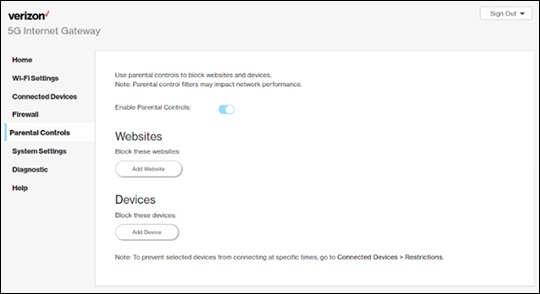
- From Parental Controls, click theParental controls switchto turn on or off.
- From Websites, clickAdd Website, enter the appropriate website to block then clickAdd.To remove blocked websites, click theDelete icon
.
- From Devices, clickAdd device.
- Click the 'Connected devices'dropdown icon
then select the appropriate device to block.
- ClickBlock device.To remove blocked devices, click theDelete icon.