Verizon 5G Internet Gateway (LVSKIHP) - Restart Device
Here's how to restart the 5G Internet Gateway (LVSKIHP).
- Wait for a minimum of 5 seconds before re-inserting power cable.
- Once the 5G or 4G LED lights turn solid white, you can re-connect your devices to the Gateway.
After performing these steps, it may take up to 10 minutes before service is available.
This content is for the 5G Internet Gateway (LVSKIHP). Refer to How to Identify Verizon 5G Home Equipment if you're unsure of the device model.
Restart via Admin WebGUI
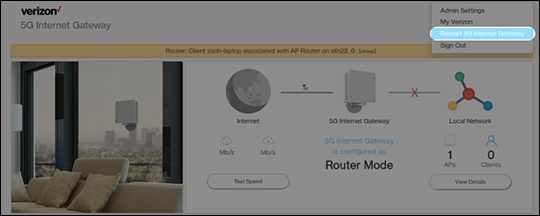
- Sign in to the Admin WebGUI.
- Click theDropdown menuon the upper right of the Home Page.
- ClickRestart 5G Home Router.The LED light turns off along with the device.
Restart via Power Jack
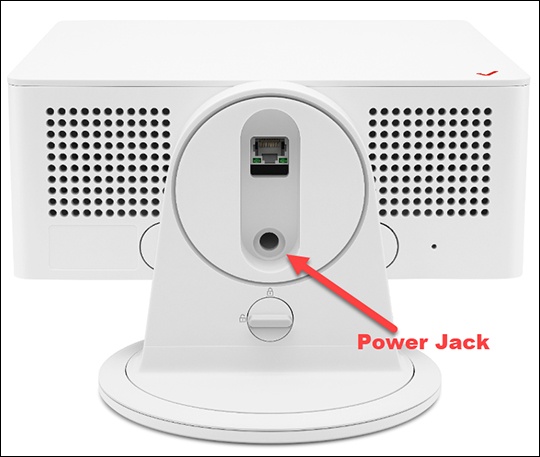
- From the bottom of the device, unplug the power cable from from Power Jack.The LED light turns off along with the device.
- Re-insert the power cable into the Power Jack.Ensure the power cable is also plugged into the wall outlet.