Verizon 5G Internet Gateway (LVSKIHP) - View Technical Router Info
Here's how to view the technical router info (Device ID / IMEI) on the 5G Home Router (LVSKIHP).
This content is for the 5G Internet Gateway (LVSKIHP). Refer to How to Identify Verizon 5G Home Equipment if you're unsure of the device model.
Internal
- Sign in to the Admin WebGUI.You must be connected to the 5G Internet Gateway network to access the admin page.
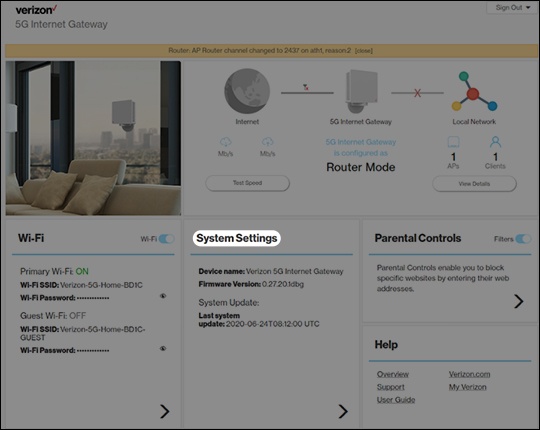
- From the Router Home screen, clickSystem Settings.
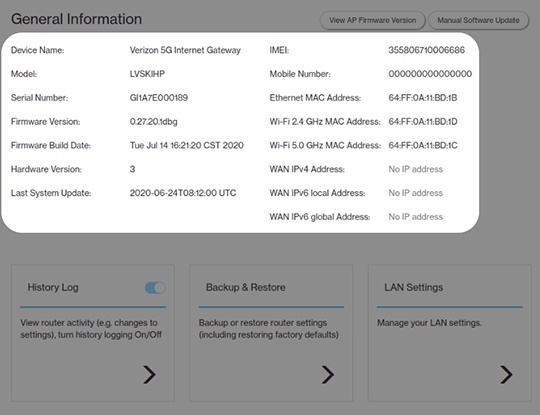
- From the General Information screen, view the following device info:
- IMEI (Device ID)
- Ethernet MAC Address
- WiFi 2.4GHz MAC Address
- WiFi 5.0GHz MAC Address
- WAN IPv4 Address
- WAN IPv6 Address
External
From the back of the 5G Internet Gateway, view the device info located on the label.
- IMEI (Device ID)
- MAC address