One Talk W60 IP DECT Cordless Phone - Turn Do Not Disturb (DND) On / Off
Here's how to enable / disable the Do Not Disturb (DND) setting on your One Talk W60 IP DECT Cordless Phone.
The Do Not Disturb function can be turned on / off in the One Talk admin portal.
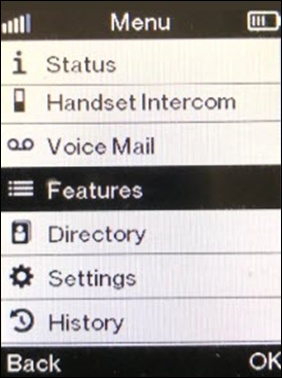
- From the main screen, press theOK button(located in the middle) on the W56HV Handset then selectFeatures.Utilize the 5-way navigation pad to highlight and the center button to select.
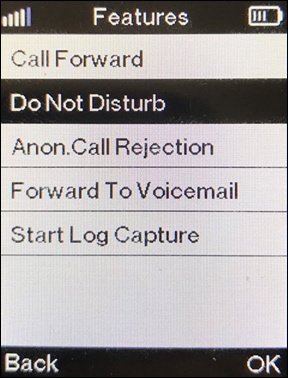
- SelectDo Not Disturb.
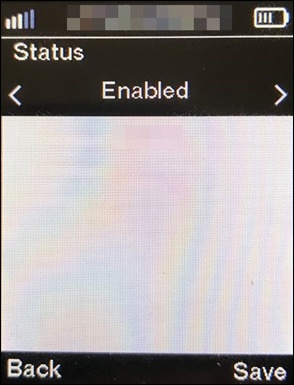
- SelectEnabledthen press theright soft keytoSave.
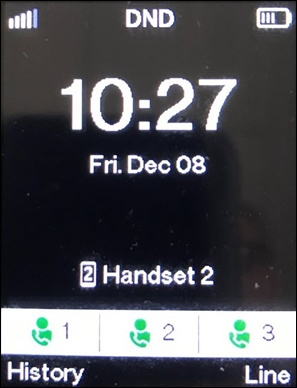
- When enabled, 'DND' displays on the main screen.