My Verizon Website - Remove Contacts in Managed Access - LTE Network Extender
Here's how to manage contacts that have access to your Verizon wireless Network Extender.
To delete contacts / phone numbers that have access to your Verizon Network Extender, view this info. If you are having issues with your phone or device, visit our Troubleshooting Assistant. These walk you through solutions for issues you may have with your device.
Mobile numbers added to the Managed Access list have priority over unlisted numbers.
- From a web browser, sign in to My Verizon.If not yet registered, refer to Registering for My Verizon for assistance.
- From the My Verizon Home screen, navigate:.
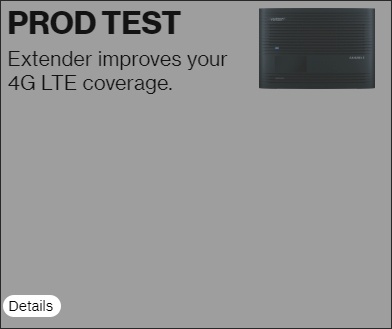
- From the 'My devices' section, clickDetailsunder the Network Extender image.
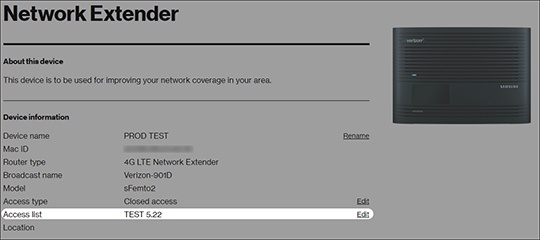
- From the 'Access type' section, ensure either 'Hybrid' or 'Closed Access' is selected.To re-configure Access Settings, refer to Configure Access Settings for assistance.
- From the 'Access list' section, clickEdit.
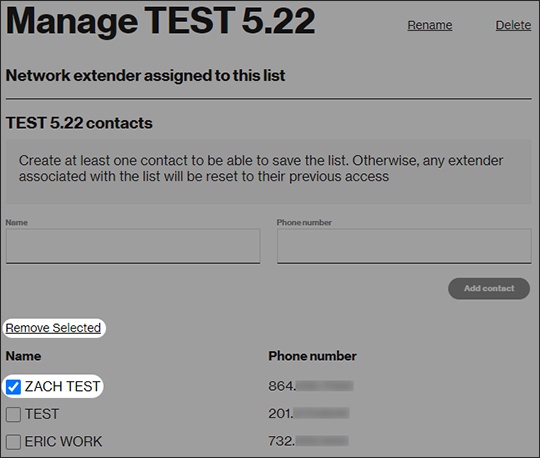
- Check the box next to a contact then clickRemove Selected.