My Verizon Website - Add Contacts in Managed Access - LTE Network Extender
LTE Network Extender
Here's how to manage contacts that have access to your LTE Network Extender via the My Verizon website.
To add contacts / phone numbers that have access to your Verizon Network Extender, view this info.
Managed access is not available for prepaid customers.
- From a web browser, sign in to My Verizon.If not yet registered, refer to Registering for My Verizon for assistance.
- From the My Verizon Home screen, navigate:.
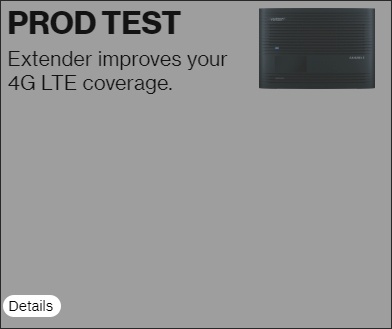
- From the 'My devices' section, clickDetailsunder the Network Extender image.Image below is an example and may vary by device model.
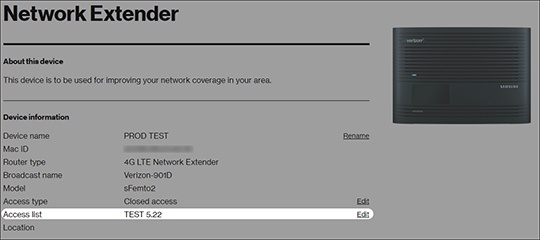
- Ensure either 'Hybrid' or 'Closed Access' is selected.for more info.To re-configure Access Settings, selectEditfrom the 'Access type' section or refer to Configure Access Settings
- From the 'Access list' section, clickEdit.Image below is an example and may vary by device model.
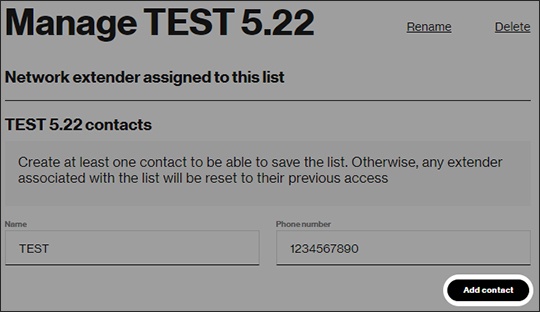
- Enter the desired Name and Phone Number then clickAdd Contact.Image below is an example and may vary by device model.
- Repeat steps as necessary to add additional numbers.Up to 50 mobile numbers can be entered.