Verizon 5G Internet Gateway (LVSKIHP) - Backup / Restore Current Configuration
Here's how to back up and restore the current configuration for the 5G Internet Gateway (LVSKIHP).
Here's how to back up and / or restore the current configuration of the 5G Home Router in case you need to restore settings to factory default for troubleshooting purposes. Backing up allows settings, like Wi-Fi connected devices, to be automatically reconnected after settings are restored.
This content is for the 5G Internet Gateway (LVSKIHP). Refer to How to Identify Verizon 5G Home Equipment if you need to verify the model you're using.
- Sign in to the Admin WebGUI.You must be connected to the 5G Home Internet network to access the admin page.
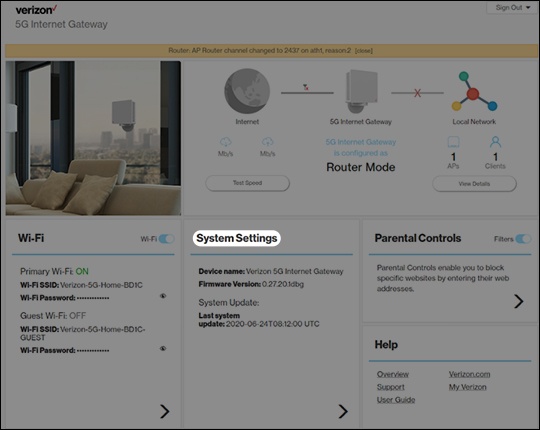
- From the Home screen, clickSystem Settings.
- From the General Information screen, clickBackup & Restore.
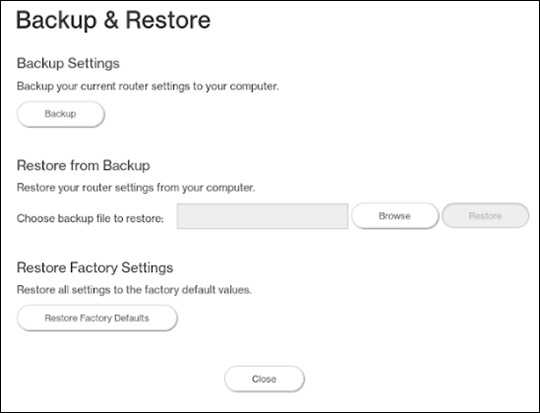
- From Backup & Restore, do one of the following:
- Backup Settings:ClickBackupthen save the file to a known location.
- Restore from Backup:
- ClickBrowse.
- Locate and select the backup file then clickRestore.