Verizon 5G Internet Gateway (LVSKIHP) - View Wi-Fi Name and Password
Here's how to find the Wi-Fi password / key for the 5G Internet Gateway (LVSKIHP).
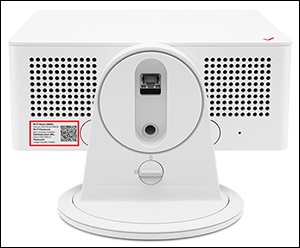
- The default SSID and Wi-Fi password are printed on the external label.
- Wi-Fi Network Name / SSID - Name that identifies the wireless network.
- Wi-Fi Password - Password needed to connect to the Wi-Fi network.
- If the Admin password is changed and/or forgotten, restore the device to default settings and connect using the credentials printed on the external label.
This content is for the 5G Internet Gateway (LVSKIHP). Refer to How to Identify Verizon 5G Home Equipment if you're unsure of the device model.
- Sign in to the Admin WebGUI.
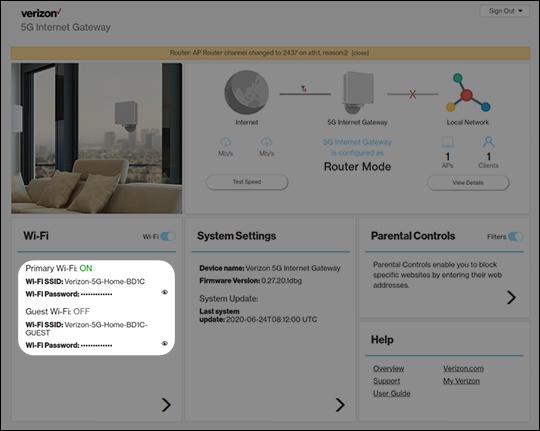
- From the Router Home screen, locate the Wi-Fi section and view the following:
- Wi-Fi name (SSID)
- Wi-Fi PasswordClick theView icon
to display the current password.